

Artificial intelligence is no longer something that only technology companies, software engineers, or data scientists talk about. Today, AI is entering the daily work of regular business professionals. It is helping people write emails, summarize documents, prepare reports, organize ideas, analyze information, improve customer service, create presentations, and complete repetitive tasks faster.
For many professionals, AI is becoming similar to a digital assistant. It does not replace human thinking, judgment, experience, or communication. Instead, it supports daily work by helping people save time, reduce manual effort, and focus on more valuable tasks.
A business professional does not need coding skills, a technical background, or data science experience to use AI effectively at work. Many AI tools are designed for people in administration, finance, marketing, HR, sales, customer service, project coordination, operations, and management. These tools can help professionals work more efficiently, but only when they are used correctly.
The biggest change is not that AI can do everything. The real change is that professionals now need to understand how to work with AI. They need to know what AI can do, what it cannot do, how to ask better questions, how to check AI-generated answers, and how to use AI responsibly at work.
This is why AI literacy is becoming an important workplace skill.
What Does AI Mean for Business Professionals?
AI, or artificial intelligence, refers to computer systems that can perform tasks that usually require human intelligence. These tasks may include understanding language, recognizing patterns, summarizing information, making predictions, generating text, answering questions, creating images, and helping with decision-making.
For business professionals, AI is not usually about building complex AI systems. It is more about using AI tools to improve daily work.
For example, a marketing assistant may use AI to create content ideas. A finance employee may use AI to summarize expense patterns. An HR coordinator may use AI to prepare interview questions. A project manager may use AI to summarize meeting notes. A customer service team may use AI to draft responses to common questions.
In simple words, AI helps professionals handle information faster.
Business work involves a lot of reading, writing, planning, reviewing, summarizing, comparing, and communicating. AI can support many of these activities.
Why AI Is Becoming Part of Daily Work
AI is becoming common in the workplace because businesses are under pressure to work faster, make better decisions, and manage more information with limited time.
Professionals today deal with emails, reports, meetings, spreadsheets, customer messages, deadlines, presentations, research, and documentation. The amount of information can feel overwhelming. AI helps reduce that pressure by supporting routine tasks.
Companies are also becoming more digital. Many teams already use cloud tools, collaboration platforms, dashboards, automation software, and digital communication systems. AI is now being added to these tools.
For example, AI features are being added to email platforms, document editors, spreadsheets, meeting tools, CRM systems, customer service platforms, and business intelligence tools. This means professionals may use AI even when they are not opening a separate AI application.
The workplace is moving toward human-plus-AI collaboration. People still make decisions, but AI helps them collect information, organize ideas, and complete tasks faster.
How AI Helps with Emails and Communication
One of the most common ways business professionals use AI is for writing and improving communication.
Emails are a daily part of almost every job. Professionals write emails to customers, managers, suppliers, team members, applicants, vendors, and partners. Writing clear emails takes time, especially when the message needs to be professional, polite, and easy to understand.
AI can help with:
- Drafting professional emails
- Rewriting messages in a clearer tone
- Making emails shorter
- Making emails more polite
- Creating follow-up messages
- Summarizing long email threads
- Turning rough notes into proper messages
- Checking grammar and spelling
- Adjusting tone for different audiences
For example, a professional may write a rough message like:
“Need report today. Please send.”
AI can help turn it into:
“Hi, could you please send the report by the end of today? It would help us complete the next step on time. Thank you.”
This simple improvement can make communication more professional.
However, people should not send AI-generated emails without reviewing them. AI may sometimes make the message too formal, too generic, or inaccurate. Human review is always important.
How AI Helps with Reports and Documents
Many business roles require report writing. Reports may include sales updates, financial summaries, project progress, HR documentation, market research, meeting summaries, or performance reviews.
AI can help professionals prepare reports by organizing information and creating a first draft.
AI can support report writing by:
- Creating outlines
- Summarizing long documents
- Turning bullet points into paragraphs
- Improving sentence structure
- Creating executive summaries
- Highlighting key points
- Suggesting headings
- Simplifying complex language
- Preparing report conclusions
For example, a project coordinator may have meeting notes, task updates, and deadline changes. AI can help organize this information into a clear project update.
A finance professional may have expense notes and monthly figures. AI can help create a plain-language summary for managers.
A business analyst may have research notes from different sources. AI can help group the information into themes.
This does not mean AI should replace human review. The professional still needs to check the facts, numbers, context, and final message.
How AI Helps with Research
Business professionals often need to research topics quickly. They may need to understand a market trend, competitor activity, customer behavior, industry news, software option, business problem, or regulatory topic.
AI can help speed up research by summarizing information, explaining concepts, and generating questions to explore.
AI can help with:
- Understanding unfamiliar topics
- Creating research outlines
- Summarizing articles
- Comparing ideas
- Explaining technical terms in simple language
- Creating lists of research questions
- Identifying possible risks
- Organizing findings into sections
For example, if a manager wants to understand why customer complaints increased, AI can help create a research framework. It may suggest looking at product quality, response time, delivery delays, staff training, pricing changes, or customer expectations.
AI is useful for starting research, but it should not be treated as the final source of truth. Professionals must verify important facts using reliable sources, official websites, company data, or trusted reports.
How AI Helps with Meetings
Meetings are another area where AI is changing daily work. Many professionals spend hours every week in meetings. After meetings, someone often needs to prepare notes, action items, summaries, and follow-ups.
AI tools can help by:
- Summarizing meeting discussions
- Creating action items
- Identifying decisions made
- Listing deadlines
- Drafting follow-up emails
- Organizing notes by topic
- Creating meeting agendas
- Preparing talking points before meetings
This can save a lot of time, especially for project coordinators, managers, administrative staff, HR teams, sales teams, and operations teams.
For example, after a team meeting, AI can help create a summary like:
- Main discussion points
- Tasks assigned
- People responsible
- Deadlines
- Open questions
- Next meeting agenda
This helps teams stay organized and reduces confusion.
However, meeting AI tools should be used carefully. Companies must consider privacy, consent, confidential information, and internal policies before recording or summarizing meetings.
How AI Helps with Presentations
Creating presentations can take a lot of time. Professionals often need to decide the structure, write slide content, choose key points, simplify data, and prepare speaker notes.
AI can help by:
- Creating presentation outlines
- Suggesting slide titles
- Turning reports into slide points
- Creating speaker notes
- Simplifying technical information
- Creating audience-specific messaging
- Suggesting visuals or charts
- Improving presentation flow
For example, a sales manager may need to present quarterly performance. AI can help organize the presentation into sections such as sales results, customer trends, challenges, opportunities, and next steps.
A training coordinator may use AI to create lesson outlines or workshop content.
The human professional still decides what is important, what should be removed, and how the message should be delivered.
How AI Helps with Customer Service
Customer service teams handle many repeated questions. Customers may ask about order status, refunds, product details, appointment times, policies, account issues, or technical support.
AI can help customer service teams by:
- Drafting responses
- Suggesting answers from knowledge bases
- Summarizing customer history
- Categorizing support tickets
- Identifying urgent cases
- Helping create FAQ content
- Detecting customer sentiment
- Supporting chatbots
AI can make customer service faster, but human empathy is still important. A customer who is upset may need understanding, patience, and judgment. AI can suggest a response, but people must make sure the message feels appropriate.
Good customer service combines AI speed with human care.
How AI Helps Marketing Teams
Marketing is one of the areas where AI is being used heavily. Marketing teams work with content, campaigns, customer data, social media, email, research, and performance reports.
AI can help marketing professionals by:
- Creating content ideas
- Drafting social media captions
- Writing email campaign drafts
- Suggesting blog outlines
- Summarizing customer feedback
- Creating ad copy variations
- Helping with keyword ideas
- Analyzing campaign performance
- Creating customer personas
- Repurposing long content into short posts
For example, one blog can be turned into multiple social media posts, an email newsletter, short video scripts, and a LinkedIn post with the help of AI.
But marketing professionals should be careful not to publish generic AI content. Good marketing still needs brand voice, audience understanding, creativity, and human editing.
How AI Helps HR Professionals
Human resources teams deal with hiring, onboarding, employee communication, training, policies, performance, and documentation.
AI can support HR work by:
- Drafting job descriptions
- Creating interview questions
- Summarizing resumes
- Preparing onboarding checklists
- Writing employee communication drafts
- Creating training materials
- Organizing policy documents
- Summarizing feedback
- Identifying common employee questions
For example, an HR coordinator may use AI to create a first draft of an onboarding email for new employees. A recruiter may use AI to prepare role-specific interview questions.
However, HR teams must be careful about fairness, privacy, and bias. AI should not be used blindly to make hiring or employee decisions. Human judgment and compliance are very important.
How AI Helps Finance and Accounting Teams
Finance and accounting teams work with numbers, reports, invoices, budgets, cash flow, compliance, and financial communication. AI can support many finance-related tasks.
AI can help finance professionals by:
- Summarizing financial reports
- Explaining trends in expenses
- Helping prepare budget notes
- Identifying unusual transactions
- Drafting financial summaries
- Supporting invoice review
- Organizing spreadsheet tasks
- Explaining accounting concepts
- Preparing management comments for reports
For example, a finance analyst may use AI to turn raw notes into a monthly financial summary. An accounting assistant may use AI to explain why certain expense categories increased.
AI should not replace financial controls. Finance teams must always verify numbers, calculations, source documents, and compliance requirements.
How AI Helps Project Managers
Project managers and coordinators manage timelines, people, tasks, risks, updates, and communication. AI can help them stay organized.
AI can support project work by:
- Creating project plans
- Drafting status updates
- Summarizing risks
- Creating task lists
- Preparing meeting agendas
- Writing stakeholder updates
- Organizing project notes
- Creating checklists
- Identifying possible delays
For example, a project manager can give AI a list of tasks and ask it to organize them by priority, deadline, or department.
AI can also help write clearer project updates for clients or leadership.
Project management still depends on human leadership, communication, negotiation, and problem-solving. AI helps with organization, but people manage the relationships and decisions.
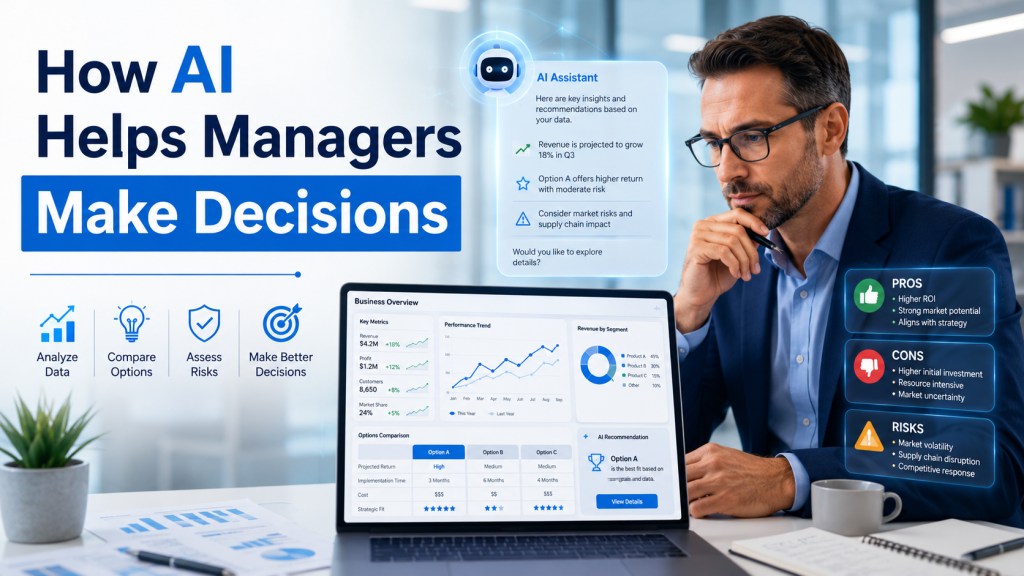
How AI Helps Managers Make Decisions
Managers are responsible for making decisions. They need to understand information, compare options, identify risks, and choose the best path.
AI can help managers by:
- Summarizing large amounts of information
- Creating decision-making frameworks
- Listing pros and cons
- Identifying possible risks
- Suggesting questions to ask
- Explaining data trends
- Preparing action plans
- Creating scenario summaries
For example, if a manager is deciding whether to launch a new service, AI can help organize the decision into areas such as customer demand, cost, staffing, risks, pricing, marketing, and timeline.
AI does not make the final decision. It helps managers think more clearly and consider different angles.
What Is Prompting and Why Does It Matter?
Prompting means giving instructions to an AI tool. The quality of the prompt affects the quality of the answer.
A weak prompt may give a weak answer. A clear prompt gives better results.
For example, a weak prompt is:
“Write an email.”
A better prompt is:
“Write a polite email to a client explaining that the report will be delivered tomorrow morning. Keep the tone professional, short, and reassuring.”
A strong prompt usually includes:
- The task
- The audience
- The tone
- The format
- The purpose
- Important details
- Any limits or instructions
Prompting is becoming an important workplace skill because professionals need to know how to guide AI tools properly.
Why Human Judgment Is Still Important
AI can help with many tasks, but it is not perfect. It can make mistakes, misunderstand context, create generic content, or present incorrect information confidently.
This is why human judgment is essential.
Professionals must check:
- Is the information accurate?
- Does it match company policy?
- Is the tone appropriate?
- Are the numbers correct?
- Is the source reliable?
- Is confidential information protected?
- Could the answer be biased?
- Does the final output make sense?
AI is a tool, not a replacement for responsibility.
The best professionals will not be the ones who copy and paste AI answers. They will be the ones who use AI thoughtfully, check the output, improve it, and apply real business judgment.
Risks of Using AI at Work
AI offers many benefits, but it also brings risks.
1. Incorrect Information
AI can sometimes provide wrong or outdated information. Important facts should always be verified.
2. Privacy Concerns
Employees should not enter confidential company data, client information, personal details, or financial records into AI tools unless the company has approved it.
3. Generic Content
AI content can sound repetitive or generic if it is not edited. Human creativity is still needed.
4. Bias
AI systems can reflect bias from the data they were trained on. This is especially important in HR, hiring, customer service, and decision-making.
5. Overdependence
If professionals rely too much on AI, they may stop developing their own thinking and writing skills.
6. Compliance Issues
Some industries have strict rules about data, privacy, financial records, legal communication, and customer information. AI use must follow those rules.
AI Skills for Non-Technical Professionals
One of the biggest advantages of AI today is that business professionals do not need coding skills to use it. They also do not need a data science background, a technical degree, or programming experience.
AI tools are now designed for everyday workplace users. This includes managers, coordinators, administrators, HR professionals, finance teams, sales representatives, marketing professionals, customer service staff, project coordinators, and operations teams.
For non-technical professionals, AI is mainly about learning how to use tools effectively. This means knowing how to write clear prompts, review AI-generated content, summarize information, prepare reports, improve communication, organize tasks, and use AI responsibly in daily work.
For example, an HR professional can use AI to draft interview questions. A marketing professional can use AI to create content ideas. A finance employee can use AI to summarize financial notes. A manager can use AI to organize meeting points and prepare decision-making summaries.
The goal is not to become an AI engineer. The goal is to become confident using AI as a workplace productivity tool.
This is especially useful for professionals who want to improve efficiency, save time, and stay competitive in modern business environments. Programs such as AI Essentials for Business Professionals are designed for non-technical learners who want practical AI skills they can apply in real workplace situations.
How AI Is Changing Entry-Level Work
Entry-level jobs often include tasks such as data entry, basic research, document formatting, scheduling, report preparation, and administrative support. AI can now help with many of these tasks.
This means entry-level professionals may need to bring more than basic task completion. They may need to show communication skills, problem-solving, digital confidence, and the ability to review AI output.
For example, instead of only preparing a report, an entry-level employee may be expected to use AI to create a first draft, check the information, improve the structure, and explain the final result.
This makes learning AI skills important for students, newcomers, and early-career professionals.
How AI Is Changing Career Growth
AI is changing what employers expect from professionals. Many companies are not looking for every employee to become technical. But they do want people who can work smarter with digital tools.
Professionals who understand AI may be able to:
- Complete routine work faster
- Communicate more clearly
- Prepare better reports
- Support decision-making
- Improve customer service
- Save time for their teams
- Reduce repetitive work
- Learn new tools faster
- Adapt to workplace change
AI skills can support many career paths, including administration, marketing, HR, finance, sales, project coordination, operations, customer service, and management.
How Businesses Can Use AI Responsibly
Responsible AI use is important for both employees and companies. Businesses should not simply tell employees to use AI without guidance.
Companies should create clear rules about:
- What AI tools are approved
- What information can be entered into AI tools
- What information must stay confidential
- How AI-generated content should be reviewed
- When human approval is required
- How to check accuracy
- How to avoid bias
- How to protect customer and employee data
Responsible AI use builds trust. It helps employees use AI confidently without creating unnecessary risk.
AI Is Not Just a Trend
Some people think AI is only a trend. But AI is becoming part of everyday business software and workplace processes. Email tools, office software, search engines, customer service systems, analytics platforms, and project management tools are all adding AI features.
This means AI will likely become a normal part of daily work, just like email, spreadsheets, and video meetings.
The professionals who adapt early can build confidence and stay ahead of workplace changes.
How to Start Using AI at Work
Professionals can start with simple, low-risk tasks.
Good beginner uses include:
- Rewriting an email
- Summarizing a public article
- Creating a meeting agenda
- Brainstorming content ideas
- Turning notes into a checklist
- Creating a report outline
- Simplifying complex text
- Preparing interview practice questions
- Drafting a presentation structure
- Creating a daily task plan
Start with tasks that do not involve confidential data. Then slowly build confidence.
The goal is not to let AI do everything. The goal is to learn how AI can support better work.
Why AI Literacy Matters in Canada
Canadian workplaces are becoming more digital. Many professionals work with cloud tools, online communication, dashboards, automation systems, customer platforms, and remote collaboration tools. AI fits naturally into this digital environment.
For newcomers, students, job seekers, and working professionals, AI literacy can be useful because it shows adaptability. Employers value people who can learn new tools, communicate clearly, solve problems, and work efficiently.
Understanding AI can help professionals feel more prepared for modern workplace expectations.
For learners who want a structured introduction to practical AI tools and workplace use cases, Toronto Innovation College offers an AI Essentials for Business Professionals program focused on non-technical business applications.
Conclusion
AI is changing daily work for business professionals by helping with emails, reports, research, meetings, presentations, customer service, HR, finance, marketing, project management, and decision-making.
The biggest benefit of AI is not that it replaces people. The biggest benefit is that it helps people work faster, think more clearly, and focus on higher-value tasks.
However, AI must be used carefully. Professionals still need human judgment, communication skills, ethical awareness, fact-checking, and business understanding. AI can create drafts, summaries, and suggestions, but people are responsible for the final work.
The future of work will likely belong to professionals who can combine human skills with AI tools. People who can think critically, communicate clearly, understand business problems, and use AI responsibly will be better prepared for changing workplace demands.
AI is not only for technical experts. It is becoming a practical skill for everyday business professionals.
FAQs
1. How is AI changing daily work for business professionals?
AI is helping professionals write emails, summarize documents, prepare reports, create presentations, organize meetings, research topics, and complete repetitive tasks faster.
2. Do business professionals need coding to use AI?
No. Many AI tools are designed for non-technical professionals. Business users can use AI for writing, research, planning, communication, and productivity without coding.
3. What are examples of AI tools at work?
Examples include AI writing assistants, meeting summary tools, chatbots, spreadsheet assistants, presentation tools, customer service AI, and AI features inside office software.
4. Can AI replace business professionals?
AI can automate some repetitive tasks, but it cannot replace human judgment, communication, leadership, creativity, ethics, and business understanding.
5. What AI skills should professionals learn?
Professionals should learn prompt writing, fact-checking, content review, ethical AI use, data privacy awareness, AI-assisted reporting, and productivity workflows.
6. Is AI useful for HR and finance teams?
Yes. HR teams can use AI for job descriptions, interview questions, onboarding, and policy summaries. Finance teams can use AI for report summaries, trend explanation, and document support.
7. What is the biggest risk of using AI at work?
The biggest risks include incorrect information, privacy issues, overdependence, bias, and using AI-generated content without proper review.
8. How can beginners start using AI?
Beginners can start by using AI to rewrite emails, summarize public information, create checklists, prepare report outlines, and organize ideas.
9. Why is AI literacy important?
AI literacy helps professionals understand how AI works, how to use it responsibly, how to check its output, and how to apply it in daily business tasks.
10. Is AI useful for career growth?
Yes. AI skills can help professionals become more productive, adaptable, and confident in modern digital workplaces.