

Choosing between Azure and AWS can feel like choosing between two equally strong career paths. Both platforms support cloud computing, automation, application deployment, security, monitoring, and DevOps practices. Both are used by Canadian organizations, and both can lead to valuable technical skills.
So, is Azure or AWS DevOps better in Canada?
The honest answer is that neither platform is automatically better for every learner. Azure may be a stronger fit for professionals who work with Microsoft technologies, enterprise systems, Windows environments, or hybrid cloud infrastructure. AWS may be a better choice for learners targeting cloud-native applications, product companies, startups, or organizations already using Amazon Web Services.
Your previous experience, target employers, local job market, certification goals, and preferred technologies should guide your decision.
This guide compares Azure DevOps and AWS DevOps from a Canadian career perspective. It also explains what to learn, how to evaluate training, and why building core DevOps skills is often more important than choosing a platform too early.
What Does DevOps Mean?
DevOps combines software development and IT operations practices to help teams build, test, release, monitor, and improve applications more efficiently.
It is not one product or job title. It is a way of working supported by processes, communication, automation, and technical tools.
A DevOps professional may help with:
- Source code management
- Automated testing
- Continuous integration
- Continuous delivery or deployment
- Cloud infrastructure
- System monitoring
- Security checks
- Configuration management
- Container deployment
- Incident response
- Team collaboration
Continuous Integration and Continuous Delivery
Continuous integration, commonly called CI, helps development teams regularly combine and test code changes.
Continuous delivery or deployment, commonly called CD, helps teams move tested changes into staging or production environments through an automated process.
A typical pipeline may:
- Receive a code change.
- Build the application.
- Run automated tests.
- Check security or quality rules.
- Package the application.
- Deploy it to an environment.
- Monitor the result.
Azure and AWS provide services that can support these steps, but the underlying DevOps principles remain similar.
What Is Azure DevOps?
Microsoft Azure is a cloud platform that provides computing, storage, networking, database, security, data, artificial intelligence, and application-development services.
The term “Azure DevOps” can also refer to Microsoft’s collection of development and collaboration services used for managing code, work items, testing, packages, and pipelines.
Azure-based DevOps work may involve:
- Azure Repos or Git repositories
- Azure Pipelines
- Azure Boards
- Azure Artifacts
- Azure virtual machines
- Azure networking
- Container services
- Infrastructure templates
- Monitoring and logging
- Identity and access controls
- PowerShell or command-line tools
Who May Prefer Azure?
Azure may be a natural starting point for people with experience in:
- Windows Server
- Microsoft 365
- Active Directory or identity services
- PowerShell
- .NET development
- SQL Server
- Enterprise IT support
- Hybrid infrastructure
- Microsoft-based business systems
Many established organizations already use Microsoft products. For professionals working in these environments, Azure can feel more connected to the systems they already understand.
Possible Azure-Focused Roles
Depending on experience and employer requirements, Azure skills may support roles such as:
- Junior cloud administrator
- Azure administrator
- Cloud support analyst
- DevOps analyst
- DevOps engineer
- Platform engineer
- Site reliability engineer
- Cloud infrastructure specialist
- Release engineer
- Automation specialist
Completing a course does not automatically qualify someone for these roles. Employers may require previous IT experience, coding knowledge, projects, certifications, or experience maintaining production systems.
What Is AWS DevOps?
Amazon Web Services is a cloud platform offering computing, networking, storage, databases, monitoring, security, automation, container, serverless, analytics, and application-development services.
AWS DevOps generally refers to applying DevOps principles using AWS infrastructure and related development tools.
AWS-focused work may involve:
- Cloud-based computing resources
- Identity and access management
- Virtual networks
- Object storage
- Infrastructure templates
- Automated build and deployment pipelines
- Container services
- Serverless applications
- Monitoring and logging
- Configuration management
- Command-line tools
- Python or shell scripting
Who May Prefer AWS?
AWS may be a good starting point for people interested in:
- Cloud-native applications
- Linux environments
- Web application hosting
- Product development
- Infrastructure automation
- Serverless architecture
- Containers and microservices
- Startup or software-company environments
- Scalable cloud systems
Professionals with Linux, networking, development, or technical support experience may find that these skills transfer naturally into AWS training.
Possible AWS-Focused Roles
AWS knowledge may support applications for roles such as:
- Cloud support specialist
- AWS cloud administrator
- Junior cloud engineer
- DevOps analyst
- DevOps engineer
- Infrastructure engineer
- Platform engineer
- Site reliability engineer
- Cloud automation specialist
- Cloud operations analyst
The exact title matters less than the job description. Two employers may use the title “DevOps engineer” for very different responsibilities.
Azure vs AWS DevOps Comparison
| Factor | Azure DevOps Path | AWS DevOps Path |
| Common starting background | Microsoft, Windows, .NET, enterprise IT | Linux, web, networking, development, cloud support |
| Typical environment fit | Enterprise and hybrid environments | Cloud-native and scalable application environments |
| Source control and pipelines | Azure-based repositories and pipelines | AWS-native tools or third-party pipeline tools |
| Scripting often encountered | PowerShell, Bash, Python | Bash, Python, command-line tools |
| Infrastructure automation | Azure templates and cross-platform tools | AWS templates and cross-platform tools |
| Container knowledge | Docker and Kubernetes remain useful | Docker and Kubernetes remain useful |
| Identity focus | Microsoft identity and role-based controls | AWS identity and access controls |
| Best first choice | Learners targeting Microsoft ecosystems | Learners targeting AWS ecosystems |
| Transferable knowledge | Git, CI/CD, containers, security, monitoring | Git, CI/CD, containers, security, monitoring |
| Main limitation | Platform knowledge alone is not enough | Platform knowledge alone is not enough |
Which DevOps Career Path Is Better in Canada?
The better path is the one that matches the jobs you realistically plan to pursue.
Choose Azure When Your Target Environment Uses Microsoft
Azure may be the stronger first choice when:
- Your current employer uses Microsoft technologies.
- You already manage Windows systems.
- You work with Microsoft identity services.
- You have .NET or PowerShell experience.
- You want to work in enterprise or hybrid environments.
- Local job descriptions frequently mention Azure.
For example, an IT support professional in Mississauga who already manages Microsoft accounts and Windows devices may have an easier transition into Azure administration and automation.
The learner still needs knowledge of cloud architecture, Linux, networking, Git, and CI/CD. Azure familiarity alone is not enough.
Choose AWS When Your Target Roles Emphasize Cloud-Native Systems
AWS may be the better first choice when:
- You enjoy Linux and command-line work.
- You are interested in scalable web applications.
- Your target employers use AWS.
- You want to learn serverless or cloud-native patterns.
- You have development or networking experience.
- Your target job descriptions regularly mention AWS.
A developer in Vancouver building web applications may find AWS services directly relevant to deployment, infrastructure, monitoring, and application scaling.
Choose Azure When You Are Already Inside a Microsoft Organization
One of the smartest ways to choose a platform is to look at your present workplace.
Ask your technical team:
- Which cloud provider does the organization use?
- Which tools manage source code and pipelines?
- Is the environment cloud-only or hybrid?
- Which scripting languages are common?
- Which skills are difficult to find internally?
- Are employees encouraged to pursue particular certifications?
Internal career advancement may be easier when your new skills solve an existing workplace need.
Choose AWS When You Want a Cloud Architecture Foundation
AWS can be useful for learners who want to understand cloud architecture, including computing, networking, storage, databases, monitoring, security, and automation.
Learners focused primarily on AWS architecture rather than both DevOps platforms can also review an AWS Cloud Architect course in Canada before deciding whether to specialize further.
Learn Both When Your Target Jobs Are Multi-Cloud
Some Canadian organizations use more than one cloud platform. A company may run Microsoft business systems while hosting other applications on AWS.
Learning both can help you understand:
- How equivalent services differ
- How identity models compare
- How deployments move across environments
- How monitoring changes by platform
- How to avoid depending on one provider
- How hybrid and multi-cloud systems are managed
However, beginners should not try to memorize every service on both platforms at once.
Expert Insight
A better learning sequence is:
- Build strong DevOps fundamentals.
- Choose one cloud platform.
- Complete practical projects.
- Learn the second platform through comparison.
- Add security, monitoring, and architecture depth.
This produces stronger knowledge than studying dozens of service names without building anything.
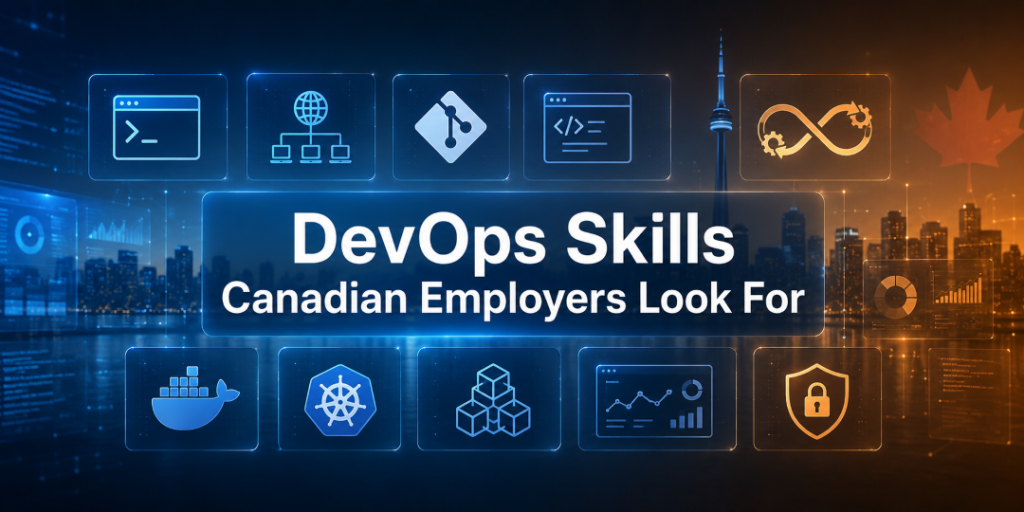
DevOps Skills Canadian Employers Look For
Platform knowledge is only one part of DevOps.
The Government of Canada’s DevOps engineer occupational profile links these positions to broader software engineering responsibilities. Opportunities and outlooks can differ by province and city, so learners should review current regional information and live postings before choosing a pathway.
Linux and Operating Systems
Many cloud workloads run on Linux. Learners should understand:
- Files and directories
- Users and permissions
- Processes
- Services
- Logs
- Package installation
- Basic troubleshooting
- Command-line navigation
Networking
Cloud professionals should understand:
- IP addresses
- Subnets
- Routing
- DNS
- Ports
- Firewalls
- Load balancing
- Public and private networks
- Secure remote access
Git and Source Control
Git skills include:
- Creating repositories
- Committing changes
- Working with branches
- Merging code
- Reviewing pull requests
- Resolving conflicts
- Protecting important branches
Scripting
Automation may involve:
- Bash
- PowerShell
- Python
- YAML
- JSON
You do not need to be an advanced software developer to begin, but you should be comfortable reading and modifying scripts.
CI/CD Pipelines
A practical course should teach learners to:
- Build a pipeline
- Add automated tests
- Manage variables and secrets
- Create approval stages
- Deploy to multiple environments
- Investigate failed builds
- Roll back a deployment
- Document the workflow
Containers and Kubernetes
Docker and Kubernetes knowledge can support modern application deployment.
Beginners should first understand why containers are used, how images are built, and how applications run before attempting advanced orchestration.
Infrastructure as Code
Infrastructure as code allows teams to define cloud resources through configuration files.
This helps make infrastructure:
- Repeatable
- Reviewable
- Version-controlled
- Testable
- Easier to reproduce
Monitoring and Security
DevOps is not complete when an application has been deployed.
Professionals also need to monitor:
- Availability
- Errors
- Performance
- Resource use
- Deployment failures
- Security events
- Logs and alerts
Security should be included throughout the pipeline rather than added only at the end.
Azure vs AWS Certification and Training Paths
Certifications can create a structured learning goal, but they should not be the only goal.
Azure Learning Path
An Azure learner may progress through:
- Cloud fundamentals
- Azure administration
- Development or infrastructure skills
- DevOps tools and pipelines
- Security and monitoring
- Advanced architecture or platform engineering
AWS Learning Path
An AWS learner may progress through:
- Cloud fundamentals
- Core AWS architecture
- Administration or development
- Automation and deployment
- Monitoring and security
- Professional-level DevOps or architecture topics
Course Completion vs Vendor Certification
A college certificate confirms that you met the college’s course requirements. A vendor certification normally requires a separate official exam.
Before enrolling, ask:
- Does tuition include a certification exam?
- Is the course aligned with a particular exam?
- Is the exam optional?
- Are practice exams included?
- Does the credential expire?
- Are prerequisites recommended?
- Does the school guarantee certification?
A training provider should never imply that completing its course automatically gives you an independent vendor certification unless that is genuinely part of the program.
Real-World Canadian Career Scenarios
Scenario 1: The System Administrator in Toronto
A system administrator works with Windows Server, identity management, and Microsoft applications.
Likely starting choice: Azure.
The learner can build on familiar systems while adding cloud networking, automation, infrastructure as code, and pipelines.
Scenario 2: The Developer in Vancouver
A junior developer works with Linux, Git, Python, and web applications.
Likely starting choice: AWS.
The learner can practise deploying applications, automating infrastructure, and monitoring cloud-based services.
Scenario 3: The Newcomer in Brampton
A newcomer has several years of IT operations experience but limited Canadian experience.
Likely starting choice: Whichever platform appears most frequently in realistic target jobs.
The learner should combine training with a Git portfolio, clear project documentation, networking, resume improvement, and interview preparation.
Scenario 4: The Career Changer in Calgary
A quality assurance professional wants to move toward DevOps.
Likely starting choice: DevOps foundations before platform specialization.
Existing testing knowledge can be useful in automated quality checks, release pipelines, and continuous integration.
Scenario 5: The Working Professional in Mississauga
A technical support specialist cannot attend weekday classes.
Likely starting choice: A flexible program covering both Azure and AWS.
Toronto Innovation College’s Azure and AWS DevOps Training Program is designed for learners in Canada who want to develop skills in DevOps fundamentals, source control, CI/CD, containerization, infrastructure as code, monitoring, security, Azure, and AWS concepts.
Learners who need broader cloud operations knowledge before specializing in DevOps can also compare this program with the AWS and Azure Administration Course.
Important Tips for Choosing Your Path
Review Real Job Descriptions
Search roles in Toronto, Ottawa, Calgary, Edmonton, Vancouver, and your local area.
Record how often employers mention:
- Azure
- AWS
- Linux
- Python
- PowerShell
- Terraform
- Docker
- Kubernetes
- Git
- CI/CD
- Monitoring
- Security
Choose based on patterns, not one posting.
Build Projects Before Collecting Certifications
A useful beginner portfolio might include:
- A version-controlled infrastructure project
- An automated deployment pipeline
- A containerized application
- A monitoring dashboard
- A documented failure and recovery process
- A secure secret-management example
Do not publish passwords, keys, tokens, or confidential employer code.
Learn One Platform Deeply
It is better to explain one complete deployment than list 50 services you cannot use.
Control Cloud Costs
Training projects can create unexpected usage charges. Set budgets, remove unused resources, and understand pricing before leaving environments running.
Common Mistakes When Choosing a DevOps Path
Choosing Only by Platform Popularity
A globally popular platform may not be the main platform used by your target employers.
Ignoring DevOps Fundamentals
Cloud services cannot replace Git, Linux, networking, scripting, testing, security, and troubleshooting.
Collecting Certificates Without Projects
Credentials may support your resume, but interviews often require practical explanations.
Expecting an Entry-Level Course to Lead Directly to a Senior Role
Many DevOps roles require experience in development, infrastructure, support, networking, or system administration.
Trying to Learn Both Platforms at Once
This can lead to shallow knowledge and confusion. Begin with shared concepts and one primary platform.
Ignoring Communication Skills
DevOps professionals work across development, operations, security, quality assurance, and business teams. Clear communication is essential.
Frequently Asked Questions
1. Is Azure or AWS better for DevOps careers in Canada?
Neither is universally better. Azure may suit Microsoft-based enterprise environments, while AWS may fit cloud-native organizations. Choose according to the systems used by your target employers.
2. Is Azure easier to learn than AWS?
Azure may feel easier for professionals familiar with Microsoft systems. AWS may feel more natural to learners with Linux, networking, or web-development experience. Both require consistent practical work.
3. Should beginners learn Azure or AWS first?
Beginners should first learn cloud, Linux, networking, Git, and scripting fundamentals. They can then choose the platform most relevant to their target jobs.
4. Can I become a DevOps engineer without coding?
You may begin without advanced coding, but scripting and automation are important. Bash, PowerShell, or Python can help you manage infrastructure and pipelines.
5. Is learning both Azure and AWS useful?
Yes, especially for multi-cloud environments. However, it is usually better to learn one platform deeply before adding the second.
6. Do DevOps certifications guarantee a job in Canada?
No. Certifications can support a job application, but employers may also require projects, troubleshooting ability, previous experience, communication skills, and knowledge of their systems.
7. Which skills are common to Azure and AWS DevOps?
Shared skills include Linux, networking, Git, CI/CD, scripting, containers, Kubernetes, infrastructure as code, monitoring, security, and collaboration.
8. Is DevOps suitable for newcomers and career changers?
It can be, but the learning curve may be significant. Newcomers and career changers should build foundational IT knowledge, complete practical projects, and target realistic entry or transition roles.
Conclusion
The Azure vs AWS DevOps decision should not be based on which logo is more familiar or which platform appears more popular online.
Azure may be the better path for professionals with Microsoft, Windows, .NET, PowerShell, or enterprise IT experience. AWS may be more suitable for learners interested in Linux, cloud-native applications, scalable web systems, and AWS-based employers.
The strongest career plan is to learn transferable DevOps skills first. Build knowledge of source control, Linux, networking, scripting, CI/CD, containers, infrastructure as code, monitoring, and security. Then apply those skills deeply on one cloud platform.
Once you can design, automate, deploy, troubleshoot, and explain a complete project, adding the second platform becomes easier.
Explore the Azure and AWS DevOps Training Program to compare its curriculum with your experience, schedule, and career goal. Choose training that gives you hands-on practice and a realistic path forward—not promises of guaranteed employment.