

Introduction
Artificial intelligence is no longer limited to software developers, data scientists, or large technology companies. Canadian professionals now use AI to summarize information, prepare reports, analyze data, improve customer service, automate routine tasks, and make faster business decisions.
Taking a practical AI course in Canada can help working professionals understand these tools instead of simply experimenting with them. The right training teaches you how AI works, where it adds value, how to review its output, and how to use it responsibly in a Canadian workplace.
This matters for professionals in Toronto, Mississauga, Vancouver, Calgary, Ottawa, Edmonton, and other Canadian cities. Employers are introducing AI into marketing, finance, human resources, operations, project management, sales, and administrative work. Employees who know how to apply AI thoughtfully may be better prepared to support these changes.
AI training does not guarantee a promotion or a new job. However, it can help you become more productive, contribute to digital projects, communicate more confidently about AI, and demonstrate that your skills are current.
Why AI Skills Matter in Canadian Workplaces
Artificial intelligence is changing how Canadian organizations complete everyday tasks.
A marketing professional may use AI to develop campaign ideas. A project manager may use it to summarize meeting notes. A financial professional may use it to organize information for further review. An HR specialist may use it to create a first draft of an internal policy or job description.
This does not mean AI performs every task accurately or independently. It means professionals increasingly need to understand when an AI tool is useful, when its output must be checked, and when it should not be used at all.
Statistics Canada reported that generative AI use among Canadian workers increased from 17% in September 2024 to 30% in July 2025. Use was particularly common in professional, scientific and technical services, educational services, and finance-related industries. Its findings show that workplace AI adoption is already affecting more than the technology sector.
AI Literacy Is Becoming a Business Skill
AI literacy means more than knowing how to open a chatbot.
A professional with practical AI literacy should be able to:
- Explain what an AI tool can and cannot do
- Write clear instructions or prompts
- Review AI-generated information for errors
- Protect confidential workplace data
- Recognize possible bias
- Select an appropriate tool for a task
- Document how important outputs were produced
- Know when human approval is required
These abilities can help professionals participate in workplace discussions about technology, risk, efficiency, and customer experience.
How AI Training Can Support Career Advancement
Career advancement does not always mean moving immediately into a senior role. It may involve taking on more responsibility, improving job performance, supporting a new project, or becoming more competitive for future opportunities.
Here are several ways AI training can help.
1. It Can Improve Everyday Productivity
Many professionals spend time completing repetitive knowledge-based tasks, such as:
- Summarizing documents
- Organizing meeting notes
- Drafting routine emails
- Creating first versions of reports
- Comparing information
- Developing presentation outlines
- Reformatting content
- Preparing checklists
AI tools may speed up the first stage of these tasks. The professional remains responsible for reviewing, correcting, and approving the final work.
For example, an operations coordinator in Brampton could use AI to organize notes from several supplier meetings. Instead of manually reviewing every page, the coordinator could request a structured summary, verify it against the original notes, and identify follow-up actions.
The value does not come from copying the first response. It comes from knowing how to guide the tool and check the result.
2. It Can Strengthen Decision Support
AI can help professionals organize large amounts of information into a more usable format.
A manager might ask an approved AI tool to:
- Group customer comments by theme
- Compare possible project risks
- Summarize performance information
- Identify patterns in non-confidential data
- Create questions for further investigation
AI should not make high-impact employment, financial, legal, or customer decisions without proper human review. However, it can help a professional prepare information for a decision.
Training teaches learners to separate decision support from decision authority. This distinction is important in responsible AI use.
3. It Can Help Professionals Contribute to Automation Projects
Businesses often begin automation by identifying repeated tasks.
A trained professional may be able to help a team:
- Map the current workflow.
- Identify slow or repetitive steps.
- Decide which steps could be assisted by AI.
- Define where human approval is needed.
- Test the new process.
- Track errors and results.
- Improve the workflow over time.
This can make the employee more valuable during digital transformation projects. The person already understands the business process and can help connect operational needs with technology.
4. It Can Improve Communication With Technical Teams
Business and technical teams do not always use the same language.
A finance manager understands reporting requirements, while a developer understands systems and data. An HR leader understands employee processes, while an AI specialist understands model capabilities and technical limitations.
Business-focused AI training can help professionals explain:
- The problem they are trying to solve
- The data available
- The expected result
- The risks involved
- The required approvals
- How success should be measured
Professionals do not need to become engineers to contribute. They need enough knowledge to ask better questions and describe business needs clearly.
5. It Can Demonstrate a Commitment to Learning
Technology changes quickly. Employers may value professionals who can learn new tools while maintaining good judgement.
Completing structured AI training for business may help demonstrate that you have invested time in understanding:
- AI fundamentals
- Generative AI
- Prompt engineering
- Workplace automation
- Responsible use
- Business applications
A course alone does not prove expertise. You should also be able to discuss what you learned and show how you applied it.
6. It Can Support an Internal Career Move
Some professionals use AI training to move into related responsibilities rather than completely changing careers.
Possible transitions may include:
- Marketing coordinator to marketing automation specialist
- Business analyst to AI-enabled process analyst
- Project coordinator to digital transformation coordinator
- HR specialist to HR technology or people analytics support
- Operations professional to process improvement analyst
- Customer service lead to customer experience automation coordinator
Job titles differ between organizations. The main advantage is the combination of existing industry knowledge and new AI skills.
How Different Professionals Can Use AI
AI training becomes more useful when it is connected to a specific role.
| Professional Area | Possible AI Applications | Human Responsibility |
| Marketing | Content outlines, audience research, campaign variations | Brand accuracy, originality, claims, and approval |
| Human Resources | Job description drafts, policy summaries, training materials | Fairness, privacy, employment standards, and review |
| Finance | Report summaries, data organization, variance questions | Calculation checks, controls, confidentiality, and approval |
| Operations | Workflow mapping, procedure drafts, issue categorization | Process accuracy, safety, and implementation |
| Project Management | Meeting summaries, risk lists, status report drafts | Priorities, stakeholder communication, and final decisions |
| Sales | Account research, follow-up drafts, call preparation | Relationship management, factual accuracy, and consent |
| Administration | Document organization, scheduling support, templates | Record accuracy and confidential information handling |
| Entrepreneurship | Market research, business ideas, customer FAQs | Strategy, legal compliance, and commercial decisions |
Marketing and Communications
Marketing professionals may use AI to brainstorm headlines, create content structures, adapt copy for different audiences, and summarize campaign results.
Training can help them avoid common problems such as:
- Repetitive or generic wording
- Unsupported claims
- Incorrect statistics
- Brand inconsistency
- Accidental plagiarism
- Publishing without human review
The strongest marketers use AI as a supporting tool, not as a replacement for customer knowledge and creative judgement.
Human Resources
HR professionals may use approved tools to prepare drafts, summarize non-confidential documents, organize learning materials, and create interview question frameworks.
However, HR work involves personal information and decisions that affect people. Training should address privacy, fairness, bias, transparency, and the need for human oversight.
An AI-generated recommendation should never be accepted simply because it appears professional or confident.
Finance and Accounting
Finance teams may use AI to explain report structures, organize commentary, create checklist drafts, and identify questions for further analysis.
Financial professionals must still confirm numbers against source systems and follow internal controls. Sensitive client, payroll, banking, and company information should not be entered into public AI tools without authorization.
Project Management and Business Analysis
Project managers and business analysts are well placed to benefit from AI because they work with requirements, meetings, documentation, stakeholders, risks, and processes.
AI may help produce:
- First-draft requirements
- Meeting action lists
- User story ideas
- Risk categories
- Test scenarios
- Process summaries
- Stakeholder communication drafts
The professional must verify that the output reflects the real project and agreed business requirements.
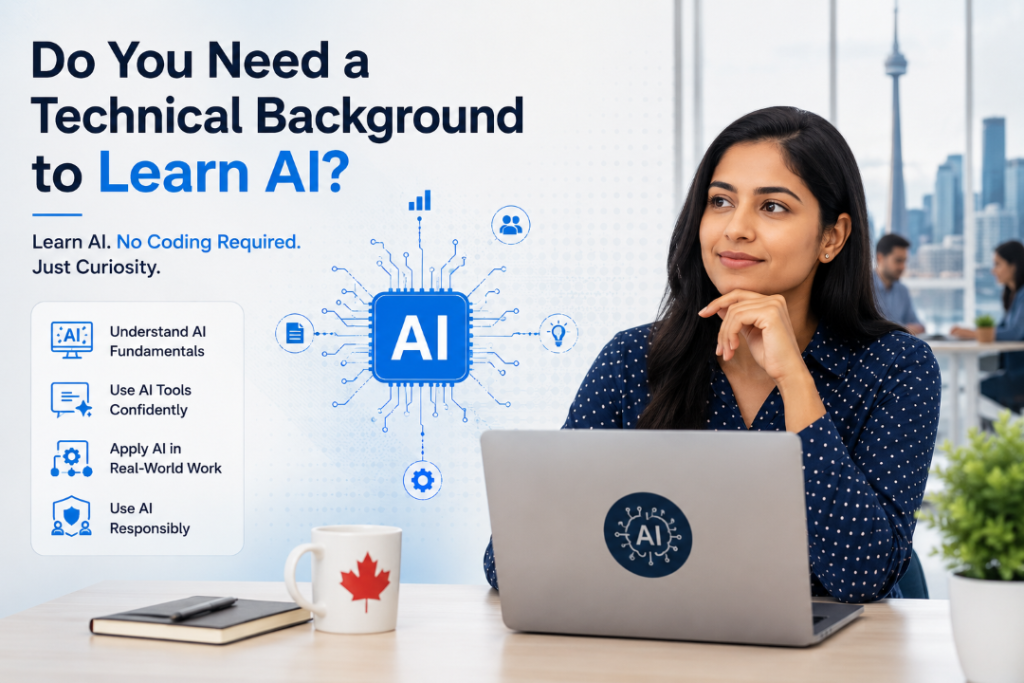
Do You Need a Technical Background to Learn AI?
You do not need advanced coding skills to begin learning how AI applies to business.
There are two broad learning paths.
Business-Focused AI Training
This path is usually suitable for managers, coordinators, analysts, entrepreneurs, and professionals in HR, finance, marketing, sales, and operations.
It may cover:
- AI and generative AI fundamentals
- Prompt engineering
- Productivity tools
- Business automation
- AI-assisted decision support
- Ethics, governance, and privacy
- Department-specific use cases
Toronto Innovation College’s AI Essentials for Business Professionals is presented as a non-vocational, three-month weekend course with 60 hours of live online training. Its curriculum includes generative AI, prompt engineering, Microsoft Copilot, AI applications in business departments, automation, governance, ethics, and case studies. The course is designed for technical and non-technical professionals and does not require heavy coding.
Technical AI Training
Technical training may suit learners who want to build, test, or deploy AI systems.
It may include:
- Python programming
- Statistics
- Data preparation
- Machine learning
- Model evaluation
- Natural language processing
- Cloud AI services
- Neural networks
Learners seeking a longer technical path can compare business-focused training with a Diploma in Artificial Intelligence, which includes programming and machine-learning topics.
Which Path Is Better?
Neither option is automatically better.
Choose business-focused training when you want to use AI in your current profession. Consider technical training when you want to develop AI systems or pursue a more technical occupation.
Skills a Practical AI Course Should Teach
Before enrolling in an AI course for business professionals, review the curriculum carefully.
AI Fundamentals
You should understand:
- What artificial intelligence means
- How generative AI differs from traditional automation
- What large language models do
- Why AI can produce incorrect information
- Why output quality depends on context and instructions
Prompt Engineering
A useful prompt should explain the task, context, format, audience, limitations, and desired outcome.
Professionals should practise improving weak prompts rather than memorizing one formula.
Output Verification
Training should show you how to check:
- Facts and figures
- Calculations
- Dates and names
- Source quality
- Missing information
- Bias or one-sided assumptions
- Whether the answer actually follows the request
Workflow Design
Learning how to create one prompt is useful. Learning how to place AI safely inside a complete workflow is more valuable.
Responsible AI Use
A strong program should address:
- Privacy
- Security
- Confidential information
- Copyright
- Bias
- Transparency
- Human oversight
- Workplace policies
Expert Insight
The most valuable AI user is not necessarily the person who produces the most content. It is the person who knows which tasks can be accelerated, which outputs must be verified, and which decisions should remain entirely human-led.
Real-World Canadian Workplace Scenarios
Scenario 1: A Newcomer Rebuilding a Career
A newcomer in Scarborough has several years of overseas marketing experience but limited exposure to AI tools.
Business-focused training could help this professional practise AI-assisted research, campaign planning, prompt writing, and output review. The new skill set can complement existing experience rather than replace it.
Scenario 2: A Manager Leading a Small Team
A manager in Mississauga wants to reduce time spent creating weekly updates.
The manager could develop an approved workflow that turns structured team notes into a first-draft report. The manager would then verify each detail, add context, and approve the final document.
Scenario 3: A Career Changer
An administrative professional in Hamilton wants to move toward project coordination.
AI training could help with meeting summaries, documentation, risk-list drafts, and communication templates. Combined with project management knowledge, these skills may support a gradual career transition.
How to Choose the Right AI Training in Canada
Use this checklist before enrolling:
- The course matches my career goal.
- The curriculum includes practical business use cases.
- I understand whether coding is required.
- The course teaches prompt writing and output verification.
- Privacy, ethics, governance, and bias are covered.
- I will complete hands-on exercises.
- The instructors have relevant experience.
- The schedule fits my work and family responsibilities.
- I know whether classes are live, recorded, or self-paced.
- The total cost and included resources are clear.
- The provider explains the credential accurately.
- There are no guaranteed promotion, salary, or employment claims.
Organizations seeking team-based learning may also explore corporate training programs that can be aligned with workplace needs.
Important Tips for Applying AI Skills at Work
- Read your employer’s AI policy first.
Do not assume every publicly available tool is approved. - Never upload confidential information without permission.
This includes personal, customer, financial, legal, health, payroll, and proprietary data. - Start with low-risk tasks.
Drafting an agenda is usually lower risk than evaluating an employee or approving a financial decision. - Keep a human review step.
AI output can sound convincing while containing errors. - Measure the result.
Track whether the tool saves time, improves quality, or creates more correction work. - Keep learning.
Tools, policies, and workplace expectations will continue to change.
Common Mistakes Professionals Make When Learning AI
Using AI Without Understanding the Task
A tool cannot fix a poorly defined business problem. Clarify the goal before selecting the technology.
Trusting Confident Answers
AI-generated content may contain invented facts, sources, names, or calculations. Confidence is not proof of accuracy.
Entering Sensitive Information
A convenient tool may still be inappropriate for confidential workplace data.
Focusing Only on Prompts
Prompt writing matters, but professionals also need workflow, verification, ethics, and governance skills.
Expecting a Course to Guarantee Promotion
Training may strengthen your capabilities, but career growth also depends on performance, experience, communication, organizational needs, and available opportunities.
Taking a Course That Does Not Match the Goal
A manager who wants workplace productivity may not need an advanced coding program. A learner seeking an AI development role will need more than a short business course.
Frequently Asked Questions
1. How can AI training help my career in Canada?
AI training can help you work more efficiently, support automation projects, improve decision support, communicate with technical teams, and demonstrate current digital skills. Results depend on how well you apply the training.
2. Is AI training useful for non-technical professionals?
Yes. Business-focused AI training can be useful for professionals in marketing, HR, finance, operations, sales, administration, business analysis, and project management.
3. Do I need to know coding before taking an AI course?
Not always. Many business-focused courses use no-code or low-code tools. Technical AI programs involving machine learning or model development may require Python, statistics, and data skills.
4. What should an AI course for business professionals include?
It should include AI fundamentals, generative AI, prompt engineering, business use cases, workflow automation, output verification, privacy, ethics, governance, and hands-on exercises.
5. Can AI training help newcomers find work in Canada?
It can complement previous education and experience by adding current workplace skills. However, training does not guarantee employment. Communication, Canadian workplace knowledge, networking, experience, and job-search preparation also matter.
6. Is online AI training effective?
Online training can be effective when it includes live instruction, practical exercises, feedback, current tools, case studies, and opportunities to ask questions.
7. Will AI replace business professionals?
AI may change tasks and workflows, but many roles still require judgement, accountability, communication, industry knowledge, and human relationships. Professionals should learn how to work with AI while strengthening these human skills.
8. How long does it take to learn AI for business?
Basic workplace applications can be learned within a short structured course, but confident and responsible use requires continued practice. Advanced technical AI skills usually require longer study.
Conclusion
AI is becoming part of everyday professional work across Canada. Marketing teams, HR departments, finance professionals, project managers, business analysts, and operations teams are exploring how it can reduce repetitive work and support better decisions.
The strongest career advantage comes from using AI responsibly. Professionals must know how to write clear prompts, verify results, protect confidential information, recognize limitations, and keep human judgement at the centre of important decisions.
For professionals seeking practical, non-technical training, the AI Essentials for Business Professionals course in Canada provides live online weekend instruction in generative AI, business productivity tools, prompt engineering, automation, and responsible AI use.
Explore the curriculum carefully, compare it with your career goals, and choose training that helps you solve real workplace problems—not simply collect another course credential.