

Introduction
Accounting careers in Canada are changing. Businesses still need professionals who understand bookkeeping, payroll, financial statements, accounts payable, accounts receivable, and compliance. However, employers increasingly expect these professionals to work with cloud software, automated workflows, digital payments, enterprise systems, data dashboards, and artificial intelligence.
This shift is making financial technology in accounting an important career skill. Financial technology, often called fintech, is not limited to banking apps or cryptocurrency. In an accounting workplace, it can include cloud accounting platforms, automated invoice processing, digital payroll systems, electronic payments, financial reporting tools, and software that identifies unusual transactions.
For students, newcomers, working professionals, and career changers, this transformation creates both opportunities and challenges. Routine data-entry tasks may become more automated, but organizations still need people who can review information, investigate errors, maintain controls, protect confidential data, and explain financial results.
The future of accounting is therefore not simply “accounting versus technology.” It is accounting supported by technology and guided by human judgement.
What Does Financial Technology Mean in Accounting?
Financial technology refers to digital systems that improve or automate financial activities.
In accounting and payroll environments, fintech may include:
- Cloud accounting software
- Digital invoicing
- Automated bank feeds
- Electronic payments
- Payroll platforms
- Expense-management applications
- Enterprise resource planning systems
- Financial dashboards
- Data-visualization tools
- Artificial intelligence
- Automated document processing
- Fraud and anomaly detection
- Mobile financial applications
A small business may use cloud accounting software to record sales, expenses, and bank transactions. A larger organization may use an enterprise system to connect finance with procurement, inventory, sales, and payroll.
Both are examples of financial technology, even though the systems differ in size and complexity.
Fintech Does Not Replace Accounting Knowledge
Software can process instructions quickly, but it cannot remove the need for accurate accounting decisions.
A user must still understand:
- Which account should be affected
- Whether a transaction is complete
- Which supporting document is required
- Whether a payment is authorized
- How an error should be corrected
- Whether a report is reasonable
- When an issue should be escalated
- Which information must remain confidential
Technology makes strong accounting knowledge more valuable because errors can move rapidly through an automated system.
Why Accounting Work Is Changing in Canada
Canadian organizations are adopting digital tools to reduce repetitive work, improve access to information, and support faster decisions.
Statistics Canada reported that generative AI use among Canadian workers increased from 17% in September 2024 to 30% in July 2025. Its findings also showed notable use in finance and insurance and in professional, scientific, and technical services. Professionals can review the agency’s workplace artificial intelligence findings for additional context.
AI is only one part of the change. Accounting teams have been moving toward cloud systems, integrated payroll, digital records, electronic approvals, and automated bank transactions for years.
Businesses Want Faster Information
Managers may not want to wait until month-end to understand financial performance.
Modern systems can provide more current information about:
- Cash flow
- Customer balances
- Supplier payments
- Payroll costs
- Department expenses
- Sales activity
- Inventory values
- Budget variances
Accounting professionals are increasingly expected to help verify, interpret, and explain this information.
Hybrid and Remote Work Require Digital Processes
Paper files and desktop-only systems can create problems when teams work from different locations.
Cloud-based platforms can allow authorized employees in Toronto, Mississauga, Vancouver, Calgary, or another location to access the information they need. This makes digital document management, access controls, and data security more important.
Clients Expect Convenient Service
Customers and small-business clients may expect:
- Electronic invoices
- Online payment options
- Digital receipts
- Faster account updates
- Secure document sharing
- Clear financial dashboards
- Remote bookkeeping support
Accounting professionals who understand these tools can help provide a more efficient client experience.
How Financial Technology Is Transforming Accounting Careers
1. Routine Data Entry Is Becoming More Automated
Traditional bookkeeping often required employees to enter each transaction manually.
Modern systems may import:
- Bank transactions
- Credit-card activity
- Customer payments
- Supplier invoices
- Employee expenses
- Sales information
- Payroll data
Automation can reduce repeated entry, but imported information still needs review.
An accounting professional may need to:
- Confirm the transaction.
- Select or verify the account.
- Check taxes.
- Match supporting documents.
- Investigate duplicates.
- Correct exceptions.
- Complete the reconciliation.
The job is shifting from entering every item to reviewing the quality and accuracy of the workflow.
2. Cloud Accounting Is Expanding Collaboration
Cloud software allows approved users to work with shared information.
A bookkeeper may record transactions, an owner may review a dashboard, and an accountant may complete adjustments without exchanging several versions of the same spreadsheet.
This can improve collaboration, but only when the organization manages:
- User permissions
- Password security
- Approval levels
- Data backups
- Record retention
- Employee access changes
- Confidential documents
Understanding access and control is becoming part of everyday accounting work.
3. Payroll Is Becoming More Integrated
Payroll systems can connect employee records, working hours, earnings, deductions, vacation information, direct deposits, accounting entries, and year-end reporting.
Automation can improve consistency, but payroll remains a sensitive responsibility.
Professionals must still review:
- Employee information
- Hours and earnings
- Overtime
- Vacation pay
- Statutory deductions
- Employer contributions
- Payroll deadlines
- Remittances
- Records of employment
- Year-end documents
A system can calculate information based on its setup, but a trained person must recognize when the result appears incorrect.
Students seeking foundational instruction can compare a longer diploma with a shorter Accounting and Payroll Essentials course for Canadian businesses.
4. Artificial Intelligence Is Supporting Document Work
AI-powered systems may help extract information from invoices, organize receipts, categorize expenses, summarize reports, or identify transactions that require review.
These tools can save time, but they may also:
- Misread documents
- Select the wrong category
- Miss important context
- Create inaccurate explanations
- Produce unsupported conclusions
- Repeat bias in the available data
Accounting professionals must treat AI output as a draft or recommendation unless it has been properly verified.
Expert Insight: The accounting professional of the future is not the person who accepts every automated result. It is the person who knows how to test the result, identify exceptions, document corrections, and protect the integrity of the financial records.
5. Real-Time Reporting Is Changing Expectations
Cloud systems and dashboards can make financial information available more quickly.
This means accounting teams may spend less time preparing routine reports and more time answering questions such as:
- Why did expenses increase?
- Which customers are overdue?
- Why is cash flow different from profit?
- Which department exceeded its budget?
- Are payroll costs changing?
- Which transaction caused the variance?
Technical tools can display numbers. Professionals must provide context.
6. Digital Payments Are Affecting Reconciliation
Organizations receive and send money through several channels, including electronic transfers, cards, online payment platforms, direct deposits, and banking applications.
This creates a need for accurate reconciliation.
Accounting employees may need to match:
- Customer payments to invoices
- Supplier payments to approved bills
- Processor deposits to sales records
- Bank fees to the correct accounts
- Refunds to the original transaction
- Foreign-currency activity to supporting documents
The more payment channels a business uses, the more important organized controls become.
7. Enterprise Systems Are Connecting Finance With Operations
Large organizations may use enterprise resource planning systems to connect accounting with:
- Procurement
- Inventory
- Sales
- Production
- Warehousing
- Project management
- Human resources
An accounting entry may begin with an operational event, such as receiving inventory or completing a customer shipment.
Professionals who understand both finance and enterprise systems may be better prepared to support implementation, testing, reporting, and process-improvement work.
Learners interested in larger enterprise finance environments can explore SAP S/4HANA Finance training as a more specialized pathway.
8. Cybersecurity Is Becoming an Accounting Responsibility
Accounting and payroll teams handle valuable and sensitive information, including:
- Banking details
- Employee records
- Tax information
- Supplier information
- Customer accounts
- Financial statements
- Payment approvals
- Login credentials
Criminals may target finance employees through false invoices, impersonation, phishing, or payment-change requests.
Accounting professionals should know how to:
- Verify unusual payment instructions
- Protect passwords
- Use multi-factor authentication
- Recognize suspicious messages
- Follow approval procedures
- Limit unnecessary access
- Report possible security incidents
Cybersecurity is not only an IT department issue. Financial employees are often part of the organization’s defence.
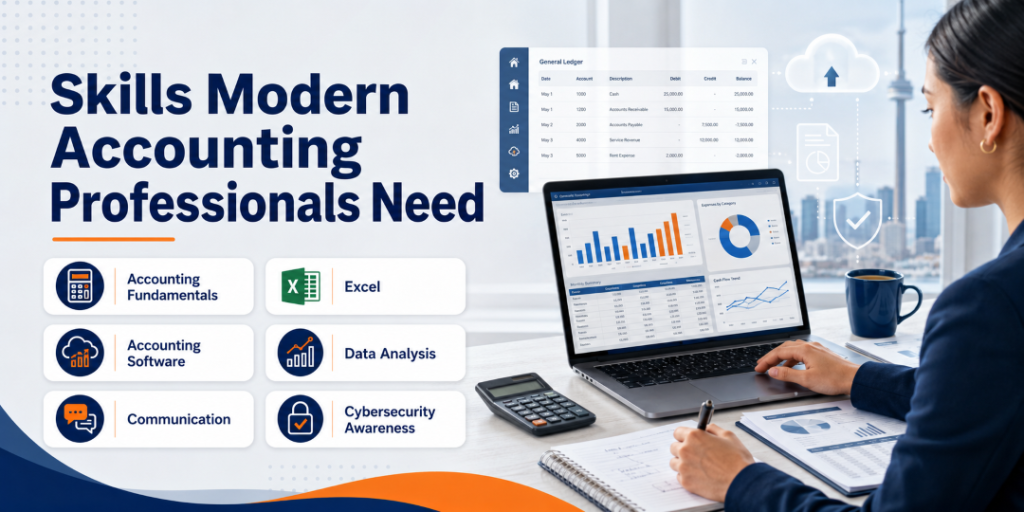
Skills Modern Accounting Professionals Need
The ideal skill combination depends on the role and employer.
Strong Accounting Fundamentals
Technology training should not replace:
- Debits and credits
- Journal entries
- Ledgers
- Trial balances
- Bank reconciliation
- Accounts payable
- Accounts receivable
- Financial statements
- Internal controls
These concepts help professionals recognize when software output is wrong.
Spreadsheet Skills
Excel remains useful for:
- Organizing information
- Applying formulas
- Comparing records
- Cleaning data
- Preparing schedules
- Investigating variances
- Creating charts
- Checking system exports
Useful skills may include filters, conditional formulas, lookup functions, pivot tables, and data validation.
Accounting Software
Programs may introduce tools such as:
- QuickBooks
- Sage 50
- Sage 300
- Payroll software
- ERP applications
The most important goal is not memorizing every menu. It is learning how business transactions move through the system.
Data Analysis
Modern accounting employees may need to:
- Review large transaction lists
- Identify exceptions
- Compare periods
- Investigate trends
- Explain variances
- Present findings clearly
Advanced analysis may require additional training, but basic data confidence is useful across many accounting roles.
Communication
Accounting professionals regularly communicate with managers, employees, clients, suppliers, auditors, and technology teams.
They should be able to explain:
- Why a document is required
- Why a payment cannot yet be released
- What caused a reporting difference
- Which information needs correction
- How a new workflow will affect users
Accounting and Fintech Career Opportunities
Financial technology does not create one single job pathway.
Depending on education, experience, and employer requirements, relevant roles may include:
| Career Area | Possible Responsibilities |
|---|---|
| Bookkeeping | Recording, reviewing, reconciling, and reporting transactions |
| Accounts payable | Supplier invoices, approvals, payments, and reconciliations |
| Accounts receivable | Customer invoices, receipts, aging, and collections support |
| Payroll administration | Payroll processing, records, deductions, and year-end support |
| Accounting technology support | Helping users work with financial systems |
| Financial systems analysis | Reviewing requirements, workflows, testing, and reports |
| ERP finance support | Supporting integrated finance processes and user issues |
| Implementation support | Data preparation, testing, documentation, and training |
| Junior financial analysis | Organizing data, reviewing variances, and preparing reports |
| Fintech operations | Supporting digital payment, reporting, or financial workflows |
A diploma may support entry into some roles, but it does not automatically qualify graduates for regulated accounting designations or advanced financial positions.
Real-World Canadian Career Scenarios
Scenario 1: A Bookkeeper in Mississauga
A bookkeeper enters transactions manually and wants to improve efficiency.
Training in cloud accounting, automated bank feeds, document capture, and reconciliation can help the bookkeeper spend less time entering information and more time reviewing accuracy.
Scenario 2: A Newcomer in Brampton
A newcomer has overseas accounting experience but limited exposure to Canadian payroll and local accounting software.
Combined accounting, payroll, and financial technology training can help connect previous knowledge with current tools and Canadian workplace terminology.
Scenario 3: An Administrative Professional in Toronto
An office administrator handles invoices, expenses, and employee records.
Additional training may support movement toward accounts payable, payroll support, bookkeeping, or accounting-assistant responsibilities.
Scenario 4: An Accounting Clerk in Scarborough
The clerk wants to move beyond routine data entry.
Learning Excel, reporting, software troubleshooting, and process documentation can help prepare the employee for broader responsibilities.
Scenario 5: A Small-Business Owner in Vaughan
The owner wants to understand financial information without becoming an accountant.
A short accounting and fintech course may help the owner organize records, communicate with accounting professionals, and review reports more confidently.
How to Choose Accounting and Financial Technology Training
A useful program should combine accounting knowledge with practical technology.
Toronto Innovation College’s Diploma in Accounting, Payroll, and Financial Technology covers accounting fundamentals, bookkeeping, intermediate accounting, payroll, and financial technology tools. The program page also lists practical exposure to QuickBooks, Sage 50, and Sage 300 ERP.
Before enrolling, review the following areas.
Curriculum
Look for:
- Accounting fundamentals
- Bookkeeping
- Accounts payable and receivable
- Bank reconciliation
- Financial statements
- Canadian payroll
- Excel
- Cloud or computerized accounting
- ERP concepts
- Financial technology
- Privacy and data security
Practical Work
Ask whether students will:
- Record complete transactions
- Reconcile bank accounts
- Process a sample payroll
- Correct errors
- Prepare reports
- Use realistic software files
- Complete an end-to-end business scenario
Credential
Confirm whether the program awards:
- A diploma
- A certificate of completion
- Preparation for an external certification
- Credit toward a professional designation
Do not assume a college credential automatically grants CPA or payroll certification.
Total Commitment
Review:
- Tuition
- Registration costs
- Textbooks
- Software access
- Equipment requirements
- Class schedule
- Assignment workload
- Attendance rules
- Refund policies
Important Tips for Building a Fintech-Ready Accounting Career
Learn accounting before relying on automation.
You need to understand what the system should produce.
Practise full workflows.
Follow transactions from source documents to final reports.
Learn to investigate exceptions.
Employers need people who can solve problems, not only process perfect transactions.
Protect confidential data.
Never enter employer or client information into unapproved tools.
Document your projects.
Explain the process, software, controls, errors, corrections, and results.
Keep your technology knowledge current.
Software changes, but strong accounting and problem-solving skills remain transferable.
Common Mistakes to Avoid
Believing Automation Removes the Need for Accountants
Automation changes tasks, but organizations still need oversight, controls, analysis, and accountability.
Learning Software Without Accounting Fundamentals
A user may know where to click without understanding whether the transaction is correct.
Trusting Every AI-Generated Answer
AI can produce incorrect calculations, explanations, or account classifications. Review all important output.
Ignoring Cybersecurity
Financial information is a valuable target. Follow organizational security and payment-verification procedures.
Collecting Software Names Without Practical Skills
Listing several programs on a resume is less useful when you cannot explain a complete accounting workflow.
Expecting Training to Guarantee Employment
Career outcomes also depend on experience, communication, local demand, job-search preparation, and employer requirements.
Frequently Asked Questions
1. What is financial technology in accounting?
Financial technology in accounting includes cloud software, digital invoicing, payroll systems, electronic payments, automated bank feeds, ERP applications, dashboards, AI, and other tools used to manage financial information.
2. Is fintech replacing accounting jobs in Canada?
Fintech is more likely to change many accounting tasks than remove the need for all accounting professionals. Routine work may become automated, while review, analysis, controls, technology support, and communication become more important.
3. What technology skills do accounting professionals need?
Useful skills may include Excel, QuickBooks, Sage, payroll software, cloud accounting, ERP systems, digital document management, data analysis, and cybersecurity awareness.
4. Do I need coding skills for an accounting and fintech career?
Most entry-level accounting and payroll roles do not require advanced coding. However, data, automation, database, or financial-systems roles may benefit from SQL, scripting, or other technical skills.
5. Is financial technology training suitable for beginners?
Yes, when the program begins with accounting fundamentals and gradually introduces software and digital workflows.
6. Can newcomers benefit from accounting and fintech training?
Yes. Training may help newcomers connect previous accounting experience with Canadian payroll concepts, workplace terminology, accounting software, and current digital processes.
7. Does an accounting and financial technology diploma make me a CPA?
No. CPA designation requirements are separate. Learners should verify official requirements directly with the appropriate professional body.
8. Which careers combine accounting and technology?
Relevant areas may include bookkeeping, payroll, financial systems support, ERP finance support, implementation assistance, data analysis, accounting software support, and fintech operations.
Conclusion
Financial technology is transforming accounting careers in Canada by changing how transactions are recorded, payroll is processed, payments are reconciled, and financial information is reported.
Routine work is becoming more automated, but automation does not remove the need for skilled professionals. Organizations still require people who can verify information, investigate errors, protect confidential data, maintain financial controls, and explain results.
The strongest career preparation combines traditional accounting knowledge with modern technology. Learners should understand bookkeeping, payroll, accounts payable, accounts receivable, reconciliation, and financial statements while building confidence with Excel, accounting software, cloud tools, ERP systems, and digital workflows.
Review the Diploma in Accounting, Payroll, and Financial Technology in Canada to compare its curriculum, delivery format, software training, and admission requirements with your career goals.
Choose a program that teaches you how to think through financial information—not simply how to click through software.